Delay Node
Delay Node pauses traversal for a fixed number of seconds, then continues on its own - no dialogue text, no player input, just a wait. This page covers its timer order and how its title updates on the graph canvas.
1. What Delay Node Is
UMounteaDialogueGraphNode_Delay derives directly from UMounteaDialogueGraphNode - it carries no dialogue text and has nothing to configure beyond the delay itself.
Does Auto Startistrue. It fires as soon as traversal reaches it.MaxChildrenNodesis1. A Delay Node can only lead to one place next - it's a pass-through, not a branch point.- Accepts input from any node type. Its
AllowedInputClassesis set to the baseUMounteaDialogueGraphNodeclass itself, so nothing is filtered out - any node can lead into a Delay Node. NotBlueprintable. You can't subclass Delay Node from Blueprint or C++.
2. How the Wait Works
Delay Node's ProcessNode calls the base node logic first (this is where its own Decorators execute), and only after that starts the Delay Duration timer. This is the opposite order from Return To Node, which arms its timer before running decorators - worth knowing if you're comparing the two, but not something you need to work around; Delay Node's own children still only advance once the timer expires.
Once the timer expires, the node marks itself processed and traversal continues to its single child.
Info
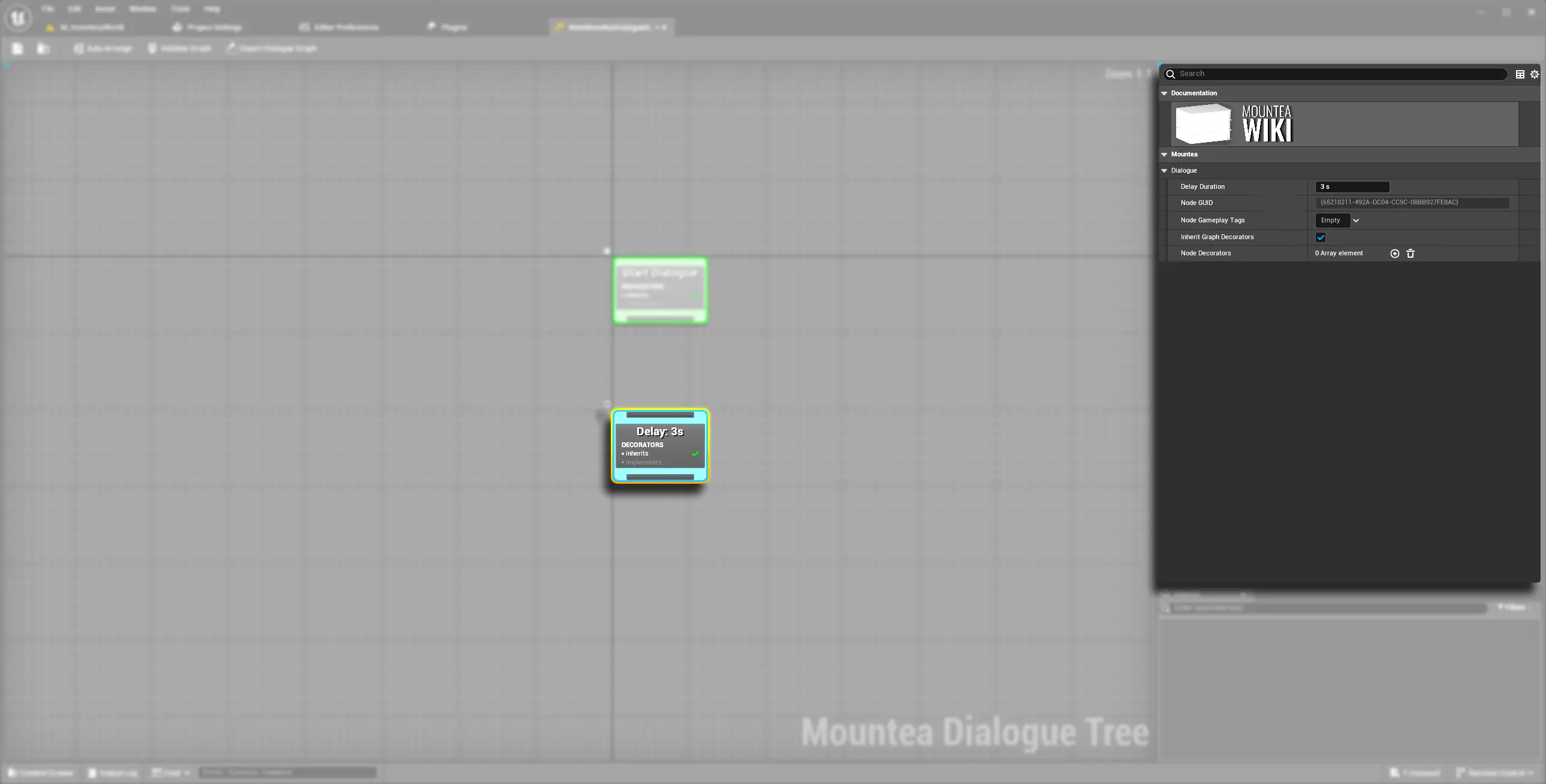
Delay Node's title on the graph canvas isn't static text - it's generated dynamically as "Delay: {N}s", using the current Delay Duration value. Changing the duration updates the node's title immediately, so you can read wait times at a glance without opening the Details panel.
3. Setting Up a Delay Node
- Add a Delay Node anywhere a beat of silence is useful - between two Lead Nodes for pacing, or before a scripted event needs time to catch up.
- Set Delay Duration (seconds) in the Details panel.
- Connect its single output pin to whatever should run after the wait.
#include "Nodes/MounteaDialogueGraphNode_Delay.h"

// NotBlueprintable - there is no subclass workflow here.
// Read/write the duration through the exposed accessors if you
// need to change it from game code:
//   GetDelayDuration() / SetDelayDuration(int32)