SetPropertyByName
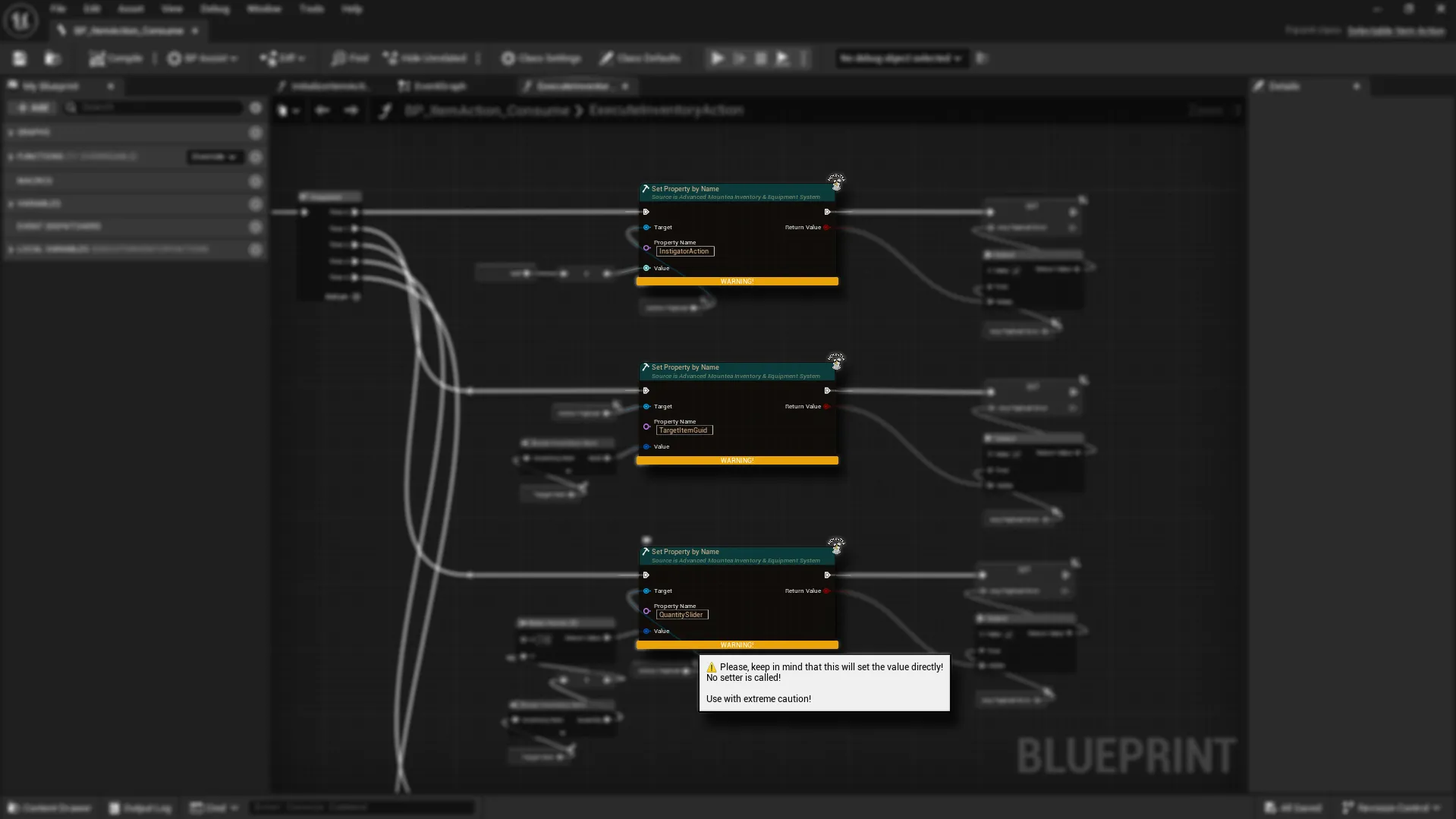
Use Set Property by Name when you want to write a value into an object without casting, and without creating a custom “Set X” function for every variable.
You plug in a Target, type the Property Name, provide a Value, and the node tries to assign it.
Use with extreme caution
This node sets the value directly via reflection.
No setter function is called.
So if your project relies on setters for validation, clamping, events, replication helpers, or side-effects - this will bypass all of that.
Why you’d use it
- You’re working with many possible target types and want to avoid cast chains.
- You’re building flexible UI/tooling logic (debug panels, inspector widgets, generic configuration screens).
- The property you want to change comes from data (tables/configs/tags), not hard-coded graph logic.
Real-World Analogy
Like writing a new value onto a labeled form field - you don’t need to know how the form is implemented, just the field name.
Where to find it
Pins (what you connect)
- Execute / Then: Standard execution flow.
- Target: The object you want to modify.
- PropertyName: Exact name of the property you want to set.
- Value: The value you want to write (the node figures out the type from what you connect).
- ReturnValue: true/false result
falseif the property doesn’t existfalseif the type doesn’t match
Value must be connected
This node requires the Value pin to be connected.
If nothing is connected, it can’t determine the type and the Blueprint will fail to compile.
Quick use
- Plug your object into Target
- Enter the PropertyName (must match the real property name)
- Connect Value (this defines the expected type)
- Use ReturnValue to confirm it succeeded
Safe pattern
Use ReturnValue → Branch
- True: continue normally
- False: log a warning / fall back / show debug info
Supported value types
You can set:
- Int / Int64
- Float
- Bool
- String / Name
- Byte
- Object (validated against the property class)
- Soft Object (validated against the property class)
- Class (validated against the property class)
- Soft Class (validated against the property class)
- Any UStruct (FVector, FGuid, your custom structs, etc.)
Common gotchas
- Property name must be correct (typos =
ReturnValue false) - Types must match (setting a
Floatinto anIntproperty will fail) - Direct write means you skip any setter logic (by design)
Best practice
Treat this node as a powerful tool for flexible systems and tooling. For gameplay-critical logic, prefer normal Blueprint setters/getters when you need guaranteed validation and side-effects.