Intro to Configuration
Configuration is a core pillar of the Inventory & Equipment system - arguably the most important one.
The system is intentionally modular and highly extensible. That flexibility comes with a trade-off: configuration can look intimidating at first glance. In reality, this structure is what enables extremely granular control without hard dependencies or rigid assumptions.
Instead of fighting complexity, the configuration layer embraces it - and organizes it.
This page focuses only on why the configuration exists and what it controls. Exact field-level behavior, examples, and best practices live in child pages.
Configuration Structure
┌──────────────────────────────────────────────────────────────────────────────┐
│                         RUNTIME CONFIGURATION LAYER                          │
├──────────────────────────────────────────────────────────────────────────────┤
│  UMounteaAdvancedInventorySettings                                           │
│  │                                                                           │
│  ├─ UMounteaAdvancedInventorySettingsConfig                                  │
│  │  ├─ Inventory Types                                                       │
│  │  │  ├─ Player                                                             │
│  │  │  ├─ NPC                                                                │
│  │  │  ├─ Storage                                                            │
│  │  │  ├─ Merchant                                                           │
│  │  │  ├─ Loot                                                               │
│  │  │  └─ Specialized                                                        │
│  │  ├─ Item Rarities                                                         │
│  │  ├─ Item Categories                                                       │
│  │  └─ Notification Configurations                                           │
│  │                                                                           │
│  ├─ UMounteaAdvancedInventorySettingsUIConfig                                │
│  │  ├─ Inventory Layout Definitions                                          │
│  │  ├─ Widget Styling Rules                                                  │
│  │  ├─ Interaction & Feedback Settings                                       │
│  │  ├─ UI Class Bindings                                                     │
│  │  └─ UI Data Mapping                                                       │
│  │                                                                           │
│  └─ UMounteaAdvancedEquipmentSettingsConfig                                  │
│     ├─ Equipment Slot Definitions                                            │
│     ├─ Slot Compatibility Rules                                              │
│     └─ Attachment & Restriction Logic                                        │
│                                                                              │
│  Supporting Runtime Assets                                                   │
│  ├─ Inventory Interactive Widget Config                                      │
│  ├─ Inventory Payloads Config                                                │
│  └─ Inventory Preview Environment Settings                                   │
└──────────────────────────────────────────────────────────────────────────────┘

┌──────────────────────────────────────────────────────────────────────────────┐
│                         EDITOR CONFIGURATION LAYER                           │
├──────────────────────────────────────────────────────────────────────────────┤
│  UMounteaAdvancedInventoryEditorSettings                                     │
│  ├─ Editor Template Pages                                                    │
│  ├─ Shared Stylesheet Path                                                   │
│  └─ Shared Script Path                                                       │
└──────────────────────────────────────────────────────────────────────────────┘
How to Think About Configuration
Designer mindset
Configuration answers what is possible and how it should feel.
Code answers how it is executed.
Instead of one giant settings file, the system is split into focused configuration assets. Each one owns a clearly defined responsibility and avoids overlapping concerns.
Using this approach we can easily change a single, focused part of the system (let's say how Item UI looks like) while the rest of the system remains untouched. This is very common practice and I can provide you with a simple example below.
Example
Imagine you have UI Configuration for your game.
UI looks amazing on PC with Mouse & Keyboard.
You build the game for Mobile/Tablet and suddenly... UI can't be used.
You have 2 options:
- Make UI complex and full of decisions what the platform is
- Make UI components, which should be unique per platform, and update Configs for each build
I think you know which one is easier to maintain and scale.
The Big Picture
There are two configuration layers you should care about:
- Gameplay Configuration – what exists and how it behaves in-game
- Editor Configuration – how comfortable and friendly the tools feel while you work
Most of your work will happen in the Gameplay Configuration layer.
Gameplay Configuration Layer
This is your playground
If something affects players, items, equipment, or UI during gameplay, it lives here.
The gameplay layer is centered around settings page, which then points to several smaller, specialized configs.
You can think of it as a hub with clearly labeled switches.
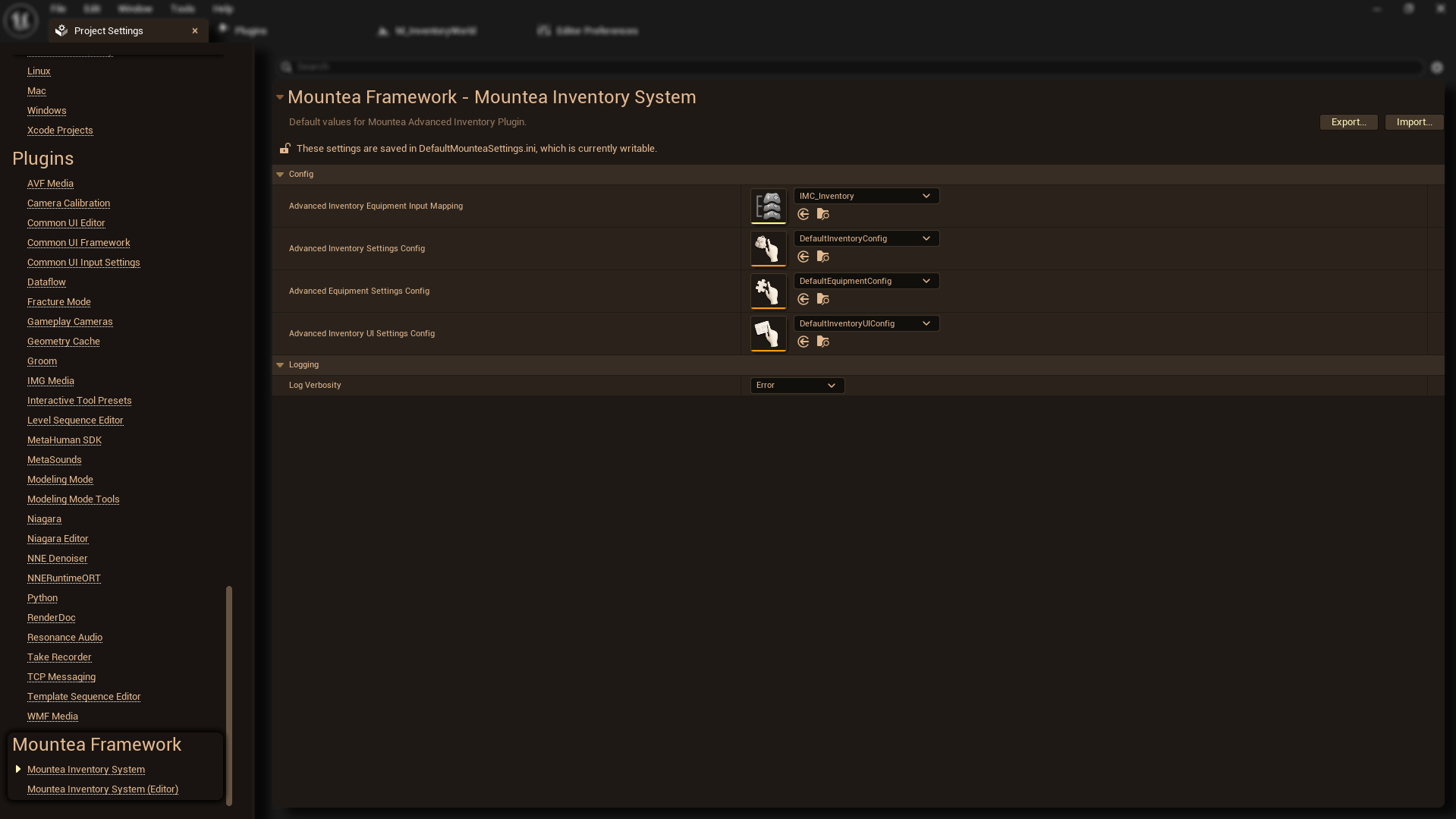
Inventory System Config
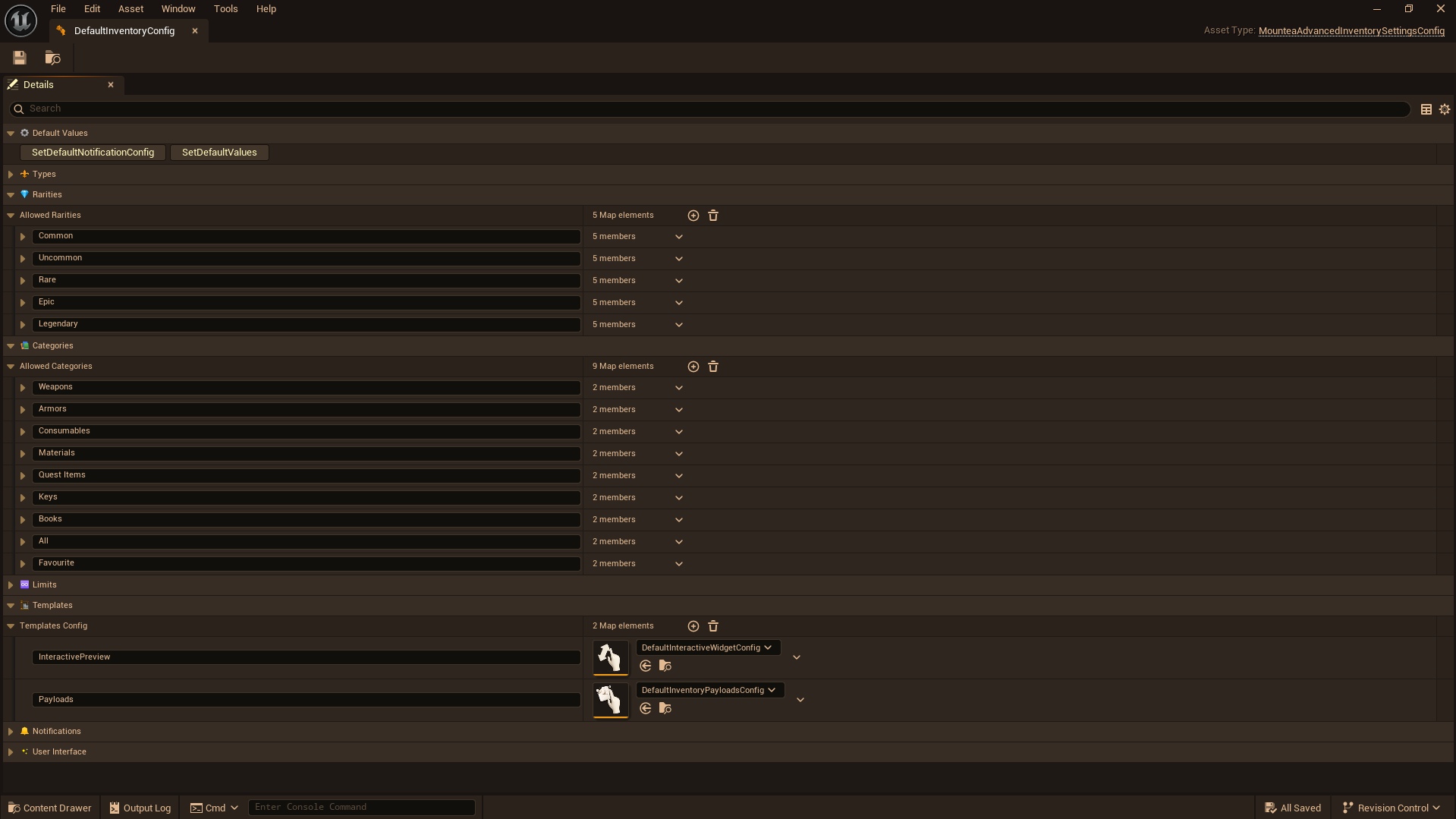
This part defines what inventories are, not how they look. It basically defines Inventory Rules.
Here you decide things like:
- Which types of inventories exist (player, NPC, storage, loot, etc.)
- What item Categories exist
- What item Rarities exist
- How notifications should behave
Note
Nothing visual is defined here. This is pure game logic and structure.
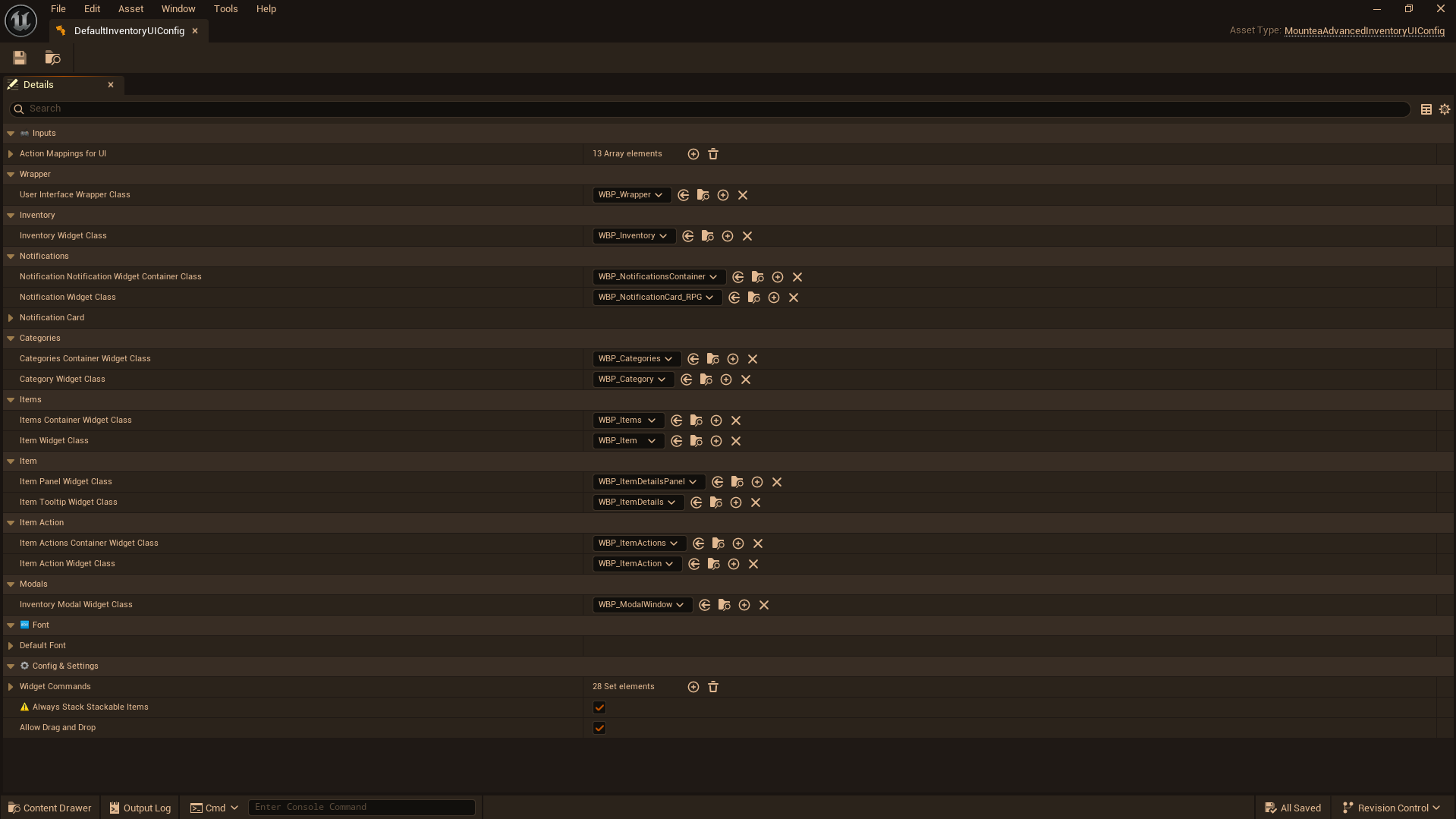
Inventory UI Configuration
This part defines how the inventory is presented to the player.
It controls:
- How the inventory is laid out on screen
- How categories and items are visually represented
- How interactions feel (feedback, highlights, responses)
- How UI elements are connected together
Info
Designers usually spend most of their time here.
Warning
No gameplay rules are changed here – only presentation and interaction.
Equipment Configuration
Equipment configuration defines what can be equipped and where.
Here you describe:
- Which equipment slots exist
- What kind of items can go into each slot
Tip
Inventory answers what you own.
Equipment answers what you can actively use.
Templates & Preview Settings
These configurations support advanced workflows, previews, and special interactions.
They are mainly used to:
- Drive interactive widgets
- Transfer data between systems
- Control how items are previewed in the editor or UI
Note
You usually set these up once and rarely touch them again.
Editor Configuration Layer
Editor-only
Nothing here affects the final game build.
This layer exists purely to make your authoring experience better.
It controls things like:
- How editor pages are organized
- Shared styles used by tools
- Shared scripts used by editor widgets
If something feels nicer to work with in the editor, it probably comes from here.
Why the System Is Built This Way
Intentional design
Complexity is split so that each part stays understandable.
- Gameplay rules stay clean and predictable
- Visual design stays flexible
- Tools can evolve without breaking gameplay
- Designers work with concepts, not code
This structure may look large, but it scales gracefully – from small projects to very complex ones.